


Real-Time Progress. Clear Team Organisation. Total Project Control.
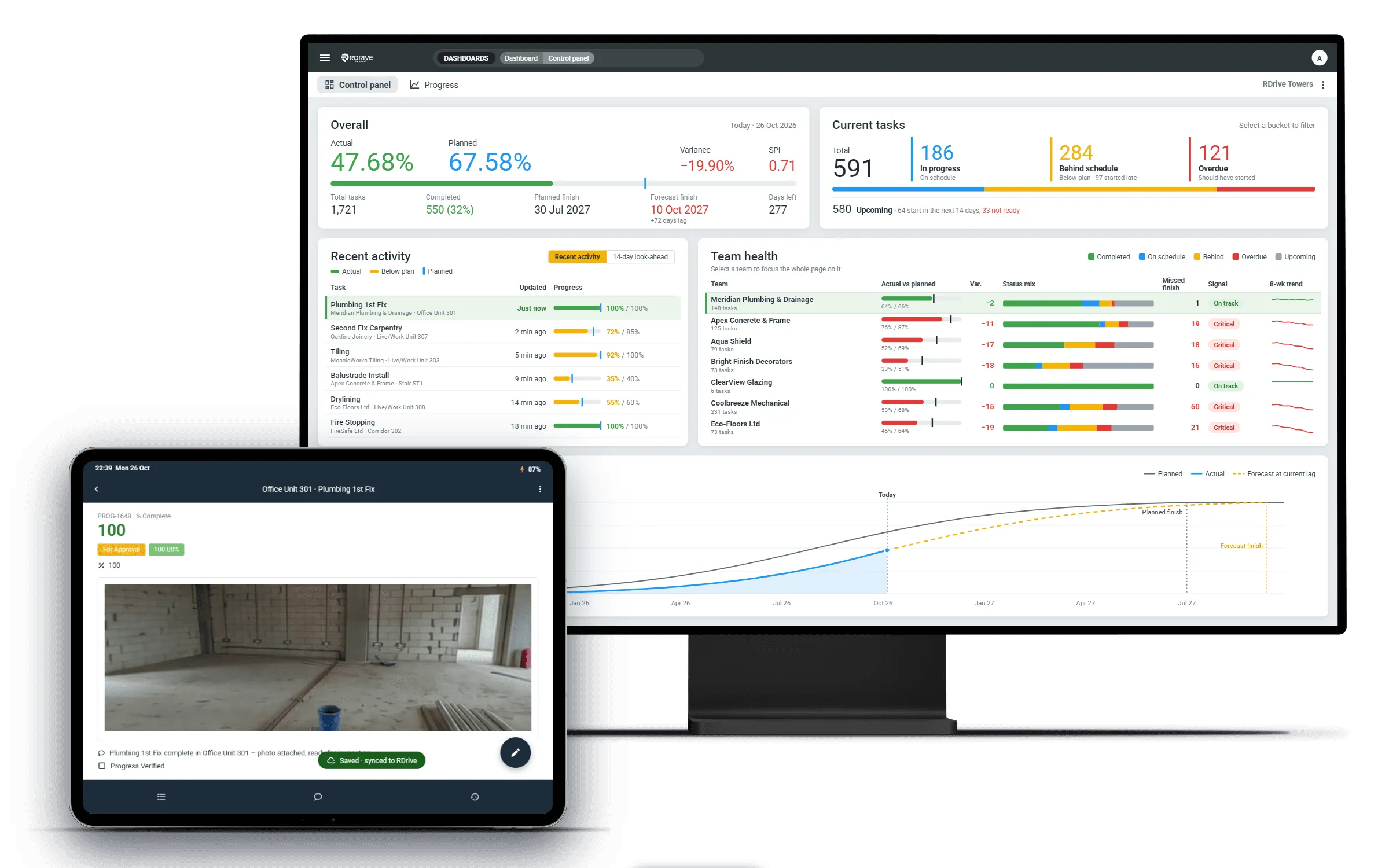
RDrive Progress Monitoring is a versatile, powerful tool designed to track every aspect of your project’s progress. Whether managing complex construction programmes, testing and commissioning, or finishing schedules, RDrive keeps your teams organised, identifies delays early, and delivers real-time visibility – empowering you to take control and drive success at every stage.
Smarter Progress Tracking for Complex Projects

Versatile Tracking
Manage everything from complex programmes to detailed finishing schedules in one platform.

Real-Time Visibility
Get up-to-the-minute progress updates and spot delays before they escalate.

Team Organisation
Assign tasks, monitor performance, and let your teams view and update progress on site - even offline - to stay aligned and accountable.

Seamless Integration
Connect with major scheduling tools to sync data and reduce duplication.

Actionable Insights
Use powerful analytics to understand project health and drive informed decisions.
Platform capabilities
How It Works
RDrive lets you define your project tasks just like a traditional scheduling system, with the flexibility to add subtasks like digital forms or progress sliders. Your teams can update progress in real time-whether they’re in the office or on site, online or offline. For advanced users, RDrive offers seamless two-way syncing with Primavera P6, Asta Powerproject, and Microsoft Project, keeping your schedules perfectly aligned. With clear visibility and intuitive task management, you stay in control from start to finish.
Choose the Progress Monitoring That Fits Your Needs
PM Lite
No dates, no programme, no problem. Define what 100% looks like with a template for each room type or area, apply them to your locations and start tracking straight away.
PM Pro
Add dates where you need them. Mix templates with individually scheduled tasks to build a full programme, and see planned against actual on every task.
PM Sync
Already planning in Primavera P6, Asta Powerproject or Microsoft Project? Two-way sync keeps your programme and site progress aligned, with no re-keying.
Versatile. Powerful. Built for Every Project
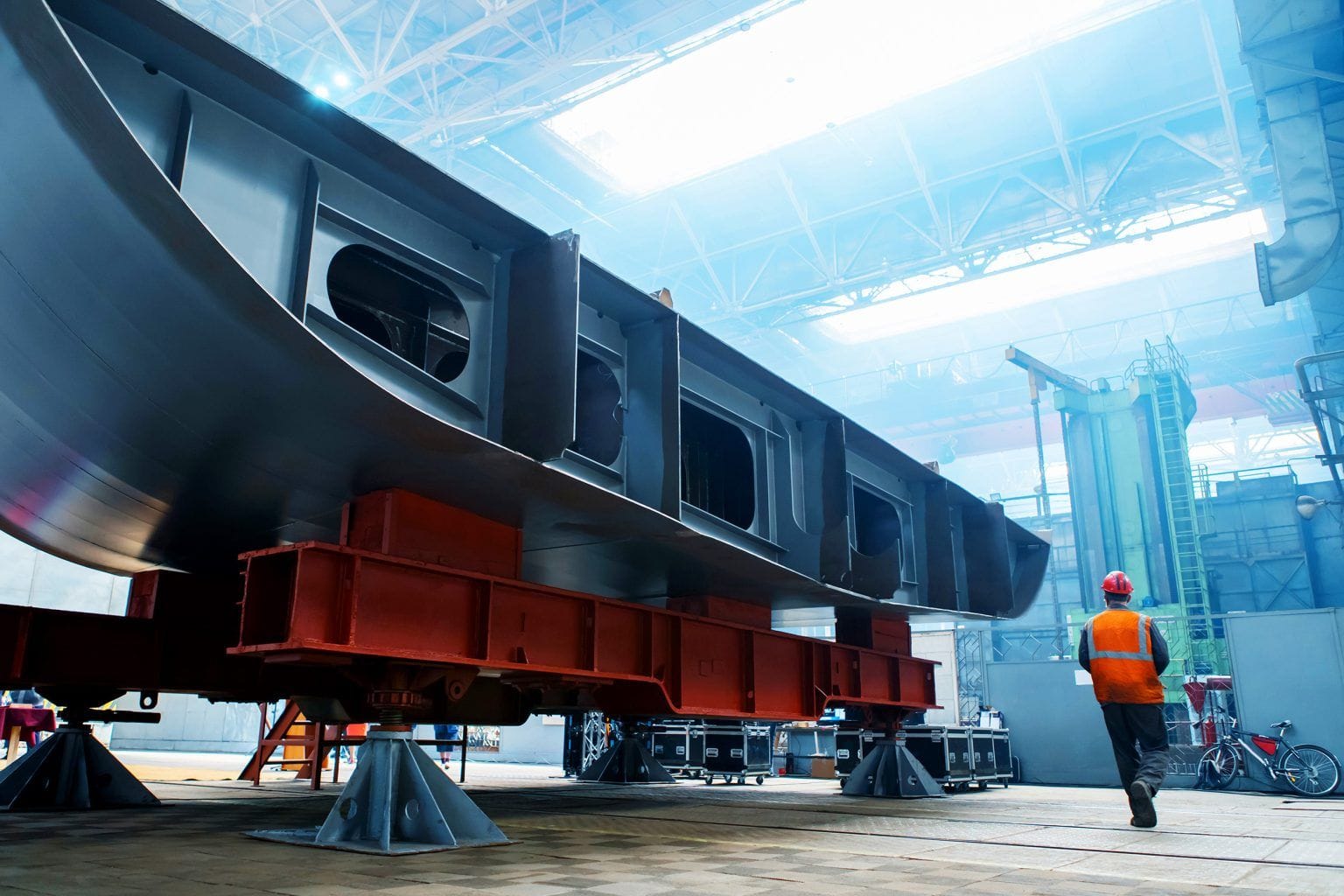
One of the greatest strengths of RDrive Progress Monitoring is its flexibility. Use it to ensure all assets are tagged correctly across your project, schedule snagging inspections for efficient site reviews, track construction progress, or manage testing and commissioning with full comment resolution. Ideal for a wide range of industries – from shipbuilding and manufacturing to rail and housebuilding – RDrive adapts to fit your project’s unique needs.
Analytics That Keep Your Project on Track
RDrive provides powerful dashboards and reports that give you instant insight into task completion, delays, and overall progress. Now you can track progress across your entire project portfolio in real time – helping you quickly identify struggling projects, reduce reporting time to zero, and minimise risks before they escalate. Plus, progress views are tailored for every stakeholder, ensuring teams, managers, and executives get the insights they need in the format that suits them best.

Seamless Integration with Scheduling Tools
RDrive Progress Monitoring integrates with Primavera P6, Asta Powerproject, and Microsoft Project through two-way syncing. While changes aren’t instant, our powerful planner tool, RDrive Task Manager, clearly show progress updates made in RDrive and schedule changes from your planning software. This makes reviewing and committing updates straightforward and transparent – reducing reporting and data entry time so planners can focus on what matters most: Planning.

FAQs
RDrive Progress Monitoring helps construction teams create, manage and track schedules directly against activity on site. It allows teams to compare planned and actual progress, identify delays early, and see the evidence behind every update.
Unlike traditional planning tools, RDrive can also be used for processes that would not normally have a formal schedule, including QA/QC sign-off, snagging, testing and commissioning, asset tagging, handover and other operational workflows.
RDrive offers three levels of progress monitoring: PM Lite for simple team-managed schedules, PM Pro for more advanced planning and control, and PM Sync for connecting RDrive with existing project programmes.
RDrive offers three levels of progress monitoring to suit different project needs.
PM Lite allows operational teams to create simple schedules and track planned versus actual progress without needing a dedicated planner. It is ideal for processes such as QA/QC sign-off, testing and commissioning, asset tagging and handover.
PM Pro provides more advanced scheduling, dependencies and progress controls for teams that need greater structure and oversight.
PM Sync connects RDrive with existing project programmes in Primavera P6, Asta Powerproject or Microsoft Project, allowing site progress to be captured against the master schedule.
All three options connect scheduled activities with real site data, evidence and locations.
Yes. RDrive PM Lite and PM Pro allow site, quality, commissioning and delivery teams to create and manage their own schedules without relying on a planner for every process.
This makes it practical to schedule activities such as QA/QC inspections, testing and commissioning, asset tagging, snagging, handover and other work that may not traditionally appear in the master programme.
Teams can assign responsibilities, set planned dates, update progress from site and monitor what is complete, overdue or at risk. This gives operational teams greater control while still allowing planners and management to maintain oversight.
RDrive does not replace the need for planners on complex master programmes. It extends structured planning to the teams and processes that are often left outside them.
RDrive Progress Monitoring can be used to track any structured process with planned activities, responsibilities and target dates.
Common use cases include construction progress, QA/QC inspections, snagging and de-snagging, testing and commissioning, asset tagging, handover, permits, approvals and installation sequences.
This allows teams to apply scheduling and planned-versus-actual tracking to processes that may not traditionally sit within the master programme. Activities can be configured around the way each team works, giving projects greater control over what needs to happen, when it should happen and whether it has been completed.
RDrive allows any scheduled activity to be linked directly to a room, area, location or asset within the project structure.
When users open that location on site or through the web, they can see its real-time progress alongside the relevant inspections, sign-offs, photographs, forms and supporting evidence.
This connects the schedule with the physical work being delivered, making it easier to understand what has been completed, what remains outstanding and whether the required evidence is in place.
Yes. Teams can update actual progress directly from site using RDrive’s Android and iOS apps, even where there is limited or no connectivity.
Users can record progress, complete forms, capture photographs, add comments and provide supporting evidence against scheduled activities, rooms, areas or assets. Once connectivity is restored, the information synchronises with the central project record.
This gives project teams a real-time view of planned versus actual progress, supported by clear site evidence rather than manual reports or unverified percentage updates.
Ready to Take Control of Your Project’s Progress?
Discover how RDrive Progress Monitoring can bring clarity, flexibility, and real-time insight to your workflows. Learn more and see how it fits your project.